300x250 AD TOP

Showing posts with label Windows 8. Show all posts

Wednesday, 14 March 2012

Tagged under:

Windows 8: How it Will Work With Cloud Computing

Windows 8 is the next sensible step towards cloud computing while giving users options on how they want to do that. Windows 8 is taking a more responsible approach than compared with Google Chrome, for example.
We have all heard about cloud computing for some time. There has been little to show us it has been coming for some time. Except until very recently. Google has just released the Chromebook, which runs on Google Chrome, which more than an operating system, it is a browser. Windows 8 works a little differently, and may be a more appropriate use for many of us. Most of us are probably not ready for a full switch to cloud computing without additional options, such as keeping our own items on our own computer. Windows 8 is a move towards cloud computing without compromising what we know. Here is a look at how it will work in terms of cloud computing.
Windows 8 Logo Windows 8: How it Will Work With Cloud Computing
  • Azure.The Windows Azure Platform is the computing platform used by Microsoft to offer cloud computing products. These products are and will be offered separately to the Windows 8 download. You can think of the Azure Platform as the huge computer that handles a software program for you, and when you are using it, you are using it through the network. A perfect example of this is Office 365, the replacement for Microsoft Office. You will not have the program on your computer, you will use it like the program on your computer, but it is stored on the Azure network.
  • System Integration.Windows 8 will allow you to use application on the internet, cloud computing applications, with the full power of your operating system and computer. Currently, when you are using an application on the internet, Facebook is an excellent example of one of them, you are only able to use the power of your browser and the power that can be given to that application by your operating system. The whole power of your computer will be available for online applications, and therefore, there will be considerable speed changes.
  • Cluster Support.It is important to understand that when you get services from cloud based products provided by Microsoft, it is not like you will be getting them from one single source. There are many technologies around the delivery of information and services, which deliver from multiple sources at a single time. This means if one of those sources crashes, you will not lose your data, and the service will not be terminated.
  • Windows Live.Windows Live services are expected to grow dramatically, offer a variety of products, and increase to include large storage with monthly payment plans. Similar products are already available for business at very low cost when compared with competitors for a long time.
  • Device storage.Even though there will be a large amount of cloud services available after the release of Windows 8, the best thing about the change is that we will still retain our on-device storage. Not everyone is ready to store everything online – as is the case with owning a Chromebook. A staged transfer of the way we use computers is what most people will want. We still want the choice. While Windows 8 will function very well with cloud computing, is a system that integrates the language of cloud, it still gives us the option of storing on our own devices.
Windows 8 will be an exciting and hassle free step forward in the right direction for computer users who have put up with having to learn how to use different devices because they all operated differently, and who live in a world where they fear getting online because of security issues.

Thursday, 8 March 2012

Tagged under:

Windows Server 8: Ten Features Managers Will Love

These new and improved features in Windows Server 8 will make many Windows administrators very happy.

Windows Server 8
The Windows 8 Consumer Preview--the desktop version of Windows 8--has been getting all of the attention lately, but another new kid is in town as well: Windows Server 8. Packing in tons of new features and improving many of the old ones, Microsoft has made Windows Server 8 a compelling platform for IT administrators.

Flexible Installation
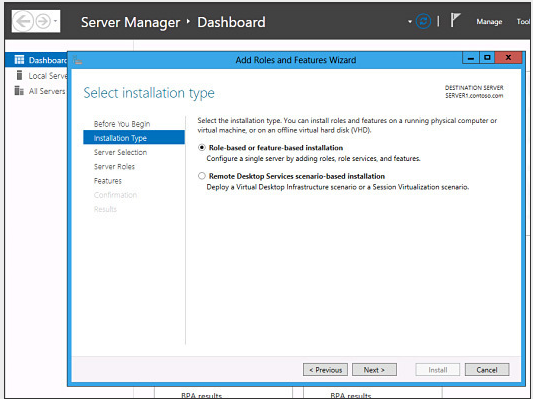
Windows Server 8 should be easier to install than its predecessor, thanks to “scenario-based” deployment wizards that guide you as to which features and capabilities to enable depending on how the server will be used. It also provides admins the flexibility to switch between a core server install and a full Windows 8 GUI by adding or removing components after the fact.


ReFS (Resilient File System)
The new Resilient File System, or ReFS, replaces the venerable NTFS that most admins are familiar with. ReFS maintains backward compatibility with NTFS for features such as BitLocker data encryption and access control lists, but it includes a wide variety of new technologies designed to ensure that data integrity is maintained, and to prevent file corruption even in the event of a sudden loss of power.


Offloaded Data Transfer
If you are moving data from one SAN drive to another SAN drive across the network, you have no need to pass that data through the server. Windows Server 8 uses Offloaded Data Transfer to remove the server as the middleman, allowing the data to transfer with minimal impact to server resources or bandwidth.

Dynamic Access Control
Dynamic Access Control is a new file-authorization framework in Windows Server 8. Admins can define central, domain-level access policies that apply across the domain to all file servers. Dynamic Access Control policies are enforced in addition to the file and folder permissions that exist at the file level, and they override any conflicting permissions to ensure that data is protected.

DirectAccess
DirectAccess itself isn’t new. However, Microsoft has now combined DirectAccess and Routing and Remote Access Server (RRAS) into a unified tool that simplifies administration, configuration, and monitoring of remote devices. DirectAccess in Windows Server 8 is also capable of running over both IPv6 and IPv4 networks.


Server Management
Like so many other aspects of the Windows OS, management tools in Windows Server 8 sport a Metro UI face-lift. Admins will appreciate being able to add tiles for any of the physical or virtual servers on their network, as well as to easily view the current state and relevant details of all servers from one place. You can create a personalized dashboard displaying the server data most important to you, and manage servers simply by right-clicking the tiles.

IP Address Manager
Windows Server 8's new IP Address Manager tool greatly simplifies the job of keeping track of all those IP addresses. Admins can manage IP addresses, track IP address usage, and identify and resolve conflicts. The tool also provides an audit trail that can come in handy for tracing an IP address at a point in time for troubleshooting and incident response.

Hyper-V Clusters
Windows Server 8 supports clusters of insane proportions using Hyper-V. You can group up to 63 Hyper-V hosts, and as many as 4000 virtual machines in a single cluster. Windows Server 8 also includes various features to make managing and maintaining Hyper-V clusters easier, such as cluster-aware patching, data de-duplication, and BitLocker encryption for cluster volumes.


Disaster Recovery
You can use a Hyper-V Replica in Windows Server 8 as a standby server in the event of a server crash or other catastrophe. Windows Server 8 will continuously sync the original server with the Hyper-V Replica, so you always have a virtual server backup that is current within 5 minutes of the original, and can be configured for automatic failover and failback.


Simplified Live Migration
One of the biggest drawbacks of virtual machines in Hyper-V with previous versions of Windows was that migrating a virtual machine from one place to another was a clumsy process that could be both frustrating and time consuming. Windows Server 8 makes it much easier to migrate a running virtual machine in Hyper-V without interrupting productivity.
Thanks:NetworkWorld.com

Tuesday, 6 March 2012

Tagged under:

Windows 8 Features And Release Date


Windows 8 Features & Release Date

Windows, being one of the most used OS, brings great challenges for Microsoft to keep its users impressed in the next version of Windows.
Although Windows 7 has done exceptionally well since its release, Microsoft has been constantly working to make the next version of Windows a better one by further improving upon the existing features, and have added new impressive Windows 8 features along with a stunning UI.
Microsoft released the early version of Windows 8 on a prototype tablet last week. Those of you who would like to taste and experience the all new Windows 8, you can download the Developer Preview, which is currently in pre-beta version. The developer version shows off the current stage of the OS. It is available for free download, and comes in three different packages:
  • (1) 64-bit version – Only the OS
  • (2) 32-bit version – Only the OS
  • (3) 64-bit version with developer tools

Windows 8 Features

Windows 8 offers a number of new Windows 8 features from its all new UI to Windows App Store and improvised security features. Here’s a list of new features and improvements which will arrive with Windows 8:

Support for both x86 PCs and ARM tablets

Windows 8 is the first edition of Windows which will work on both ARM based tablets and traditional x86 (as well as x32 and x64) PCs based on ARM processors from Intel and AMD.
“Support for ARM-based chipsets, touch, and sensors makes Windows 8 work beautifully on your choice of a full spectrum of devices, such as 10-inch slates with all-day battery life, ultra-lightweight laptops, and powerful all-in-ones with 27-inch high-definition screens,” Microsoft contends, in a Windows 8 Guide distributed with Windows Developer Preview

Windows To Go

The “Windows To Go” seems to be an exciting feature that basically allows Windows 8 to boot from a USB device (called as Live USB), including user’s programs, settings and files. The feature is designed to work with both USB 2.0 and USB 3.0, and on both legacy NIOS and UDFI firmware. However, Microsoft says that a user will not be able to “Hibernate” with this feature.
Windows 8“Windows To Go is a new feature in Windows 8 that enables enterprise administrators to create USB drives containing complete, managed Windows images that users can use to boot and run Windows on any Windows 7 or Windows 8 capable computer. Windows To Go makes it possible for employees to use a managed device whether they work from home, a client office or in a free seating environment. This session will discuss Windows To Go, its hardware requirements and building compatible and complementary software.”
Another interesting thing about this feature is that, if the USB drive is removed, Windows will automatically freeze, but will continue to operate if the USB drive is inserted back in the next 60 seconds after removal.

Windows Store

To compete with Apple, Windows has confirmed the introduction of a Windows Store, similar to Mac App Store, which allows users to browse through Windows applications, while developers can publish their Metro-style apps on Windows 8 devices.
Few days back, Microsoft gave a strategic view of its app store, and gave a quick demo on how it works. Microsoft revealed that the Windows App Store will be the only place where users can access the Metro-styled apps. Here’s a quick demo that shows how users will be able to buy their apps:


Windows 8 User Interface

Speaking about the UI, Windows 8 certainly has got a mind blowing interactive UI, which has been extensively redesigned to a “Metro-style” design, which shows the most important information to you, embodies simplicity, and gives you full control over it. The UI is designed to provide a fluid and intuitive interaction and navigation with touch, or a mouse and keyboard.

Julie Larson-Green, Corporate Vice President, Windows who stated: “Everything that’s great about Windows 7, is better in Windows 8,” gave a quick hands on look at the Windows 8 user-interface. Here are some of the screenshots she released:
Windows Logon Screen – Unlike the traditional way of entering a password to unlock the screen, Windows 8 can be unlocked by just tapping on the right areas of the screen.


Windows 8 Features
Windows 8 Start Screen – The Start screen is yet another impressive UI. The screen basically groups all your applications together, which you can easily drag and drop, or add new things.
Windows 8 Start Screen
Control Panel
Windows 8 Release Date
Playing Videos in Windows 8
Windows 8
Windows 8 Task Manager


Windows 8 Minimum System Requirements

It is reported that Windows 8 is expected to have the same system requirements as Windows 7, and will run on existing machines that run Windows 7. Here are the following minimum system requirements to run Windows 8:
Processor: 1GHz or faster 32-bit or 64-bit processor
RAM: 1GB (32-bit) or 2GB (64-bit)
HD Space: 16GB for 32-bit (or 20GB for 64-bit)

Windows 8 & Cloud Computing

It has been reported in the official Microsoft blog that Windows 8 will be tied to Microsoft’s SkyDrive, which will allow users to access their digitally stored data via Windows 8 on their computers, laptops, mobile devices… The industry’s leading cloud computing provider, Rackspace explains exactly how cloud computing works.

Windows 8 Bringing Kinect to Laptops?

Microsoft is also planning to build Kinect sensors into laptops. Prototypes have already been released, and were confirmed to be official. The sensors would be placed where the webcam is currently placed, and there could be an IR LED at the bottom of the screen. If Microsoft techs manage to drive the price of sensors down, it might even become a standard feature. There are also talks of miniaturized Kinect hardware for notebooks.

Windows 8 Release Date


We can expect Windows 8 to be launched sometime in mid-late 2012, however, it’s too early to predict the Windows 8 release date, since it is still under development. Nevertheless, the only question that haunts each and every one of us – Will
Windows 8
 Microsoft win the battle against Apple which it had lost several years back?
Tagged under: ,

Upcoming Gadgets of 2012


So, that was 2011. I know that there are a few more days to go, but people all over the world have already moved on to looking at 2012 now. Many people over the Internet are quite curious to know what new technology, or product will be released in the next year. Before we move onto 20120, here are some of the major releases in 2011 were – Chromebook, Google Plus, iPhone 4S, iPad 2, and so on.
Now that we are inching closer to the end of the year 2011 and getting closer to the New Year, one question that certainly strikes everyone’s mind is what gadgets and products that are scheduled to be launched in 2012.
There are many products that are set to be launched in 2012. However, some of us wish that these products were here right now, such as Apple’s next iPad 3 and iPhone 5, and of course many users are waiting for the release of Microsoft’s next tablet friendly operating system – Windows 8.

2012 Gadgets – Upcoming Releases in 2012

Here’s a list of some of the major upcoming 2012 gadgets and products:

Apple iPhone 5

No doubt, the Apple iPhone 5 is one of the most anticipated 2012 gadgets. Apple launched the iPhone 4S, which disappointed its fans very much. Although the device has some nice changes under the hood, including the addition of voice-recognizing personal assistant Siri and an excellent 8-megapixel camera, the phone looks quite identical to its predecessor – iPhone 4.
2012 Gadgets
The upcoming phone from Apple is expected to sport the Apple’s latest and greatest A5 processor chip, iCloud service, higher-resolution camera, and a 4-inch screen size.

Apple iPad 3

Along with the iPhone 5, fans are also eagerly expecting the release of iPad 3, which now reports indicate that it has been scheduled to be launched in February next year. The new tablet, in competition to Samsung Galaxy Tab will feature a new, thinner and sleeker design, down nearly 20 percent in size compared to the iPad 2. It will also support full touchscreen HD display with a screen resolution of 2048 x 1536.


Coolest 2012 Gadgets
Apart from that, the iPad 3 will have a lighter battery life, reducing the weight of the tablet. However, the battery is reported to cost 20 to 30 percent more than the current iPad’s battery, which will also have a longer battery life. It is also expected that the iPad 3 will have a wireless charging technology, which will be able to charge the battery and transfer data wirelessly.

Windows 8

The next version of Windows is yet another, most anticipated product after the Apple iPhone 5 and iPad 3. Windows 8 offers a number of new features from its all new UI to Windows App Store and improvised security features.
Windows 8 has got an interactive UI called the “Metro-style” design, which shows the most important information to you, embodies simplicity, and gives you full control over it. The UI is designed to provide a fluid and intuitive interaction and navigation with touch, or a mouse and keyboard.


Best Gadgets of 2012
Microsoft released a Developer Preview of the Windows 8, which is currently in pre-beta version. The developer version shows off the current stage of the OS. It is available for free download at the official Windows site.

Quad Core Mobile Devices

Dual-core is old now. Welcome Quad-core. It is said that Quad-core smartphones with high resolution screens and graphics will take over in 2012 – nVidia Tegra 3 and Qualcomm Snapdragon are battling out for the fastest quad processor in the mobile market.
Chip maker Nvidia says that smartphones featuring its quad-core Tegra 3 processors may arrive in the first half of 2012. Meanwhile, Qualcomm indicates that its quad-core Snapdragon will make its appearance in Windows 8 tablets in the second half of 2012.
Some of the features that a quad-core smartphone would offer are:
- Advanced video and photo editionnVidia Tegra 3
- Multi-tab web browsing
- High-end graphics games
- Improved voice control and “air” gestures
- Better multitasking

Xbox 360 Update

The next generation of the Xbox is expected to arrive in 2012. This would be a direct competition to the Sony PlayStation 3 and Nintendo’s Wii U. The following features will be included in the next Xbox update:

- New personal and social features including Cloud storage for game saves and Live profile
- Beacons and Facebook sharing
- Enhanced family settings
- Integrated voice and gesture controls across the dashboard and in apps
- Bing voice search (available this year in the US, UK and CA)
Recently we saw the new Xbox 360 Dashboard update. The look and feel of the new dashboard is probably the most noticeable difference, which sports a Windows 8, Metro-style interface.

Facebook Timeline

Facebook introduced its new profile, Timeline way back in September 2011, which is designed to be a better way to “tell your life story.” The new profile was scheduled to be launched to all users on Facebook in November.
Top Gadgets of 2012
However, Timelines.com, a small Chicago based company filed a lawsuit against Facebook over trademark issues and claiming that the social networking giant’s new Timeline feature may “eliminate” the company from the site. Timelines.com has a trademark for the “timeline” name, filed in May 2008 and granted in January 2009.
It is expected that Facebook might start rolling out the feature to its users starting January, 2012.

PlayStation Vita

With the huge success of PlayStation Portable selling over 71.4 million units worldwide, Sony is all set to release the next version of the PSP called as the PS Vita. The gaming console packs a quad-core graphics processor, which is even impressive than the iPad 2. It looks quite similar to the PSP, however without any doubt the Vita is more impressive and elegantly designed. It sports a 5-inch OLED multi-touch capacitive touchscreen, 24-bit color with a resolution of 960 × 540 qHD and has pixel density of 220 ppi.


Best 2012 Gadgets
It is also reported that the PlayStation Vita has both front and rear cameras with supporting features such as face detection, head detection and head tracking that can be used for personalization and customization.

Wii U

In competition to Sony’s PlayStation Vita, Nintendo is set to release the next version of its gaming console called Wii U, which is the direct successor to the Wii. Nintendo unveiled the Wii U in it’s press conference at the Electronic Entertainment Expo 2011 on June 7, 2011.


Wii U
It is the first console from Nintendo to produce 1080p high-definition graphics, featuring a new controller with an embedded touchscreen. Nintendo showcased a prototype version of Wii U, which features a touch screen over 6 inches wide and contains a built-in microphone, speakers, gyroscope, accelerometer, rumble and camera. The Nintendo Wii U will also feature internal flash based memory for media storage and game save data, however the system will also support external SD card and USB HDD support allowing users to expand storage capacity. It is expected to be released sometime after March 2012.

Apple HD TV – Upcoming 2012 Gadgets

Speculations around the Internet indicate that Apple is preparing to release a high-definition television set. The TV is expected to come in 15 to 19-inch range powered by the company’s mobile operation system, iOS. The TV, however, is not only used to play videos, but also play games, run applications and providing you control over social networking sites, like Twitter, Facebook and Google+.
Apple had launched Apple TV, a set-up box used for streaming video to a television, which was first released on January 9, 2007.
It is expected that such a TV set from Apple would be available in time for the 2012 holiday season.

Samsung Galaxy S3

After having a huge success with the Samsung Galaxy S2, it is rumored that Samsung has been busy working on the next version of the smartphone Samsung Galaxy S3. It is expected that the device will feature a Samsung Exynos 4212 processor clocked at 1.8GHz and an ARM Cortex A9 chip, which will offer a 25% performance boost and a 30% reduction in power consumption.
It is also expected that the Galaxy S3 will most probably be powered by Google’s latest OS – Android Ice Cream Sandwich. Rumors indicate that Samsung may unveil Galaxy S3 at a similar time to the iPhone 5.

Your Expectations for 2012 Gadgets Release:

So, the above 2012 gadgets list comprises some of the major gadgets and products that are scheduled to be released for the year 2012. We would like to hear which product you are mostly waiting for it to be released, or any other product that is not mentioned in the list. Please let us know by adding your comments below.
Tagged under:

Reasons Why Windows 8 Will Make Choosing Applications Easy

The new Windows 8 download is already available as a developer download. You can download the whole operating system and install Windows 8 if you really want to have a look at the way the system works, however this is not recommended for a general user. It might be better to go into your local computer support store, and have a look there. In the meantime, the rest of us just have to wait while those developers make everything that we need to go along with the new operating system. Choosing and using applications will be a whole lot easier for us when the consumer version is released. Here is a look at the main reasons why choosing and using applications and our personal computing will be much easier in the very near future.
Windows 8 Logo Reasons Why Windows 8 Will Make Choosing Applications Easy
  • Different device but same application. One of the most amazing features of the new operating system is that it will run on all Windows compatible devices. This means you will have the same operating system for your Windows phone, tablet, laptop and desktop. This will mean the exact same applications will run on all of those devices. The days of getting used to different versions of the same applications on your phone and your laptop will finally be gone, let alone having to get used to different operating systems all the time.
  • Encouraging web-based applications. The new Windows system will actually allow web-based applications to run on the operating system like traditional applications. This means we will see a boom in applications for all devices as there are many computer programmers and computer repairs professionals who know the language (HTML5), which is used for the Internet (to date). Now that language will become an optional basis for applications on the system. It will mean those online applications will run faster because they can access the full power of your computer because they are not restricted by the power available to them via the browser, and it will mean we can use web-based applications on all of our devices more freely. A single application online is available to any device.
  • Application store. Application stores have been a very good solution for other operating systems. Microsoft will launch a new application store with two kinds of applications. The traditional applications as we already know them, while the web-based applications for the new operating system will be exclusively available on the application store. These apps are called Metro Apps, and this is the area we can expect to boom because of the number of people who can develop them. These are the HTML5 based applications. An application store means we know where to find reliable applications, and will reduce the number of virus and malware applications finding their way onto user machines.
There are many reasons why the new operating system is going to make life for personal computer users much easier. Applications have been a big issue for Windows users because so many of them have been linked to malware issues. With fewer nasty applications out there, and more web-based applications, we are going to find a lot less problems appearing in our computers.

Tagged under:

Windows 8: How it Will Work With Cloud Computing

Windows 8 is the next sensible step towards cloud computing while giving users options on how they want to do that. Windows 8 is taking a more responsible approach than compared with Google Chrome, for example.
We have all heard about cloud computing for some time. There has been little to show us it has been coming for some time. Except until very recently. Google has just released the Chromebook, which runs on Google Chrome, which more than an operating system, it is a browser. Windows 8 works a little differently, and may be a more appropriate use for many of us. Most of us are probably not ready for a full switch to cloud computing without additional options, such as keeping our own items on our own computer. Windows 8 is a move towards cloud computing without compromising what we know. Here is a look at how it will work in terms of cloud computing.
Windows 8 Logo Windows 8: How it Will Work With Cloud Computing
  • Azure.The Windows Azure Platform is the computing platform used by Microsoft to offer cloud computing products. These products are and will be offered separately to the Windows 8 download. You can think of the Azure Platform as the huge computer that handles a software program for you, and when you are using it, you are using it through the network. A perfect example of this is Office 365, the replacement for Microsoft Office. You will not have the program on your computer, you will use it like the program on your computer, but it is stored on the Azure network.
  • System Integration.Windows 8 will allow you to use application on the internet, cloud computing applications, with the full power of your operating system and computer. Currently, when you are using an application on the internet, Facebook is an excellent example of one of them, you are only able to use the power of your browser and the power that can be given to that application by your operating system. The whole power of your computer will be available for online applications, and therefore, there will be considerable speed changes.
  • Cluster Support.It is important to understand that when you get services from cloud based products provided by Microsoft, it is not like you will be getting them from one single source. There are many technologies around the delivery of information and services, which deliver from multiple sources at a single time. This means if one of those sources crashes, you will not lose your data, and the service will not be terminated.
  • Windows Live.Windows Live services are expected to grow dramatically, offer a variety of products, and increase to include large storage with monthly payment plans. Similar products are already available for business at very low cost when compared with competitors for a long time.
  • Device storage.Even though there will be a large amount of cloud services available after the release of Windows 8, the best thing about the change is that we will still retain our on-device storage. Not everyone is ready to store everything online – as is the case with owning a Chromebook. A staged transfer of the way we use computers is what most people will want. We still want the choice. While Windows 8 will function very well with cloud computing, is a system that integrates the language of cloud, it still gives us the option of storing on our own devices.
Windows 8 will be an exciting and hassle free step forward in the right direction for computer users who have put up with having to learn how to use different devices because they all operated differently, and who live in a world where they fear getting online because of security issues.
Tagged under:

Windows 8 Server Beta - Hands On


The Metro overlay
Here's my hands-on look at build 8250 of Windows Server 8. It's important to note, though, that the company hasn't yet committed to this being the final beta -- it's not yet feature-complete, in other words.
Once you boot the beta with the GUI, you'll notice that the server OS shares the new Metro UI with its client brother, Windows 8. Most notably, this means the Start button has been replaced with the Metro Start layer, accessible by hovering your mouse in the bottom left corner of the screen and clicking on the resulting bubble. Then the Metro overlay comes into play and gives you the standard options for installed programs, Internet Explorer and the link to lock and sign out, among other things.


Getting servers into production
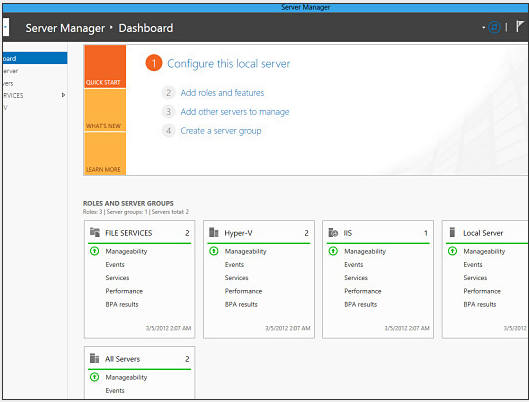
The Server Manager app continues to be enhanced as a one-stop shop for managing administrative tasks on Windows Server 8. Out of the box, it's simple to see what tasks need to be done to get a server into production.

Adding servers
One of the benefits of the new Server Manager interface is the ability to create server groups, or collections of servers that already exist on your network that can be managed through the new user experience. I can also find such machines through DNS or I can import a list of servers to bring into the group manually.

Managing servers
Creating new server groups allows you to manage tasks among each server with common attributes. For example, you can create a server group containing all machines running Internet Information Services (IIS), or all database servers, and so on, And you can request specific information on any of them as you wish.

New encryption support
Windows Server 8 includes new support for the encryption of Server Message Block (SMB) data on untrusted networks. This end-to-end encryption of data from SMB shares, as it crosses the wire, guards against eavesdropping attacks when that data travels across a network not known to be friendly.

Synchronization
The operating system also will include the ability for Offline Files synchronization to understand the type of connection being used; if it's able to detect that expensive 3G and 4G cellular connections are active, it will cease the synchronization process until a cheaper connection is available. (I wasn't able to test this feature.) This setting is available through Group Policy.

Mixing Windows generations
To my mind, it doesn't add value. In many places, the OS feels like a mixture of Windows 7, Windows Server 2008 R2 and some Windows 8 Metro preview bits. It doesn't feel cohesive, and on quite a few screens in particular, it's just plain ugly.
Thanks:NetworkWorld.com