300x250 AD TOP

Showing posts with label Reader. Show all posts

Saturday, 3 March 2012

Tagged under:

Adobe Reader SpeedUp 1.36

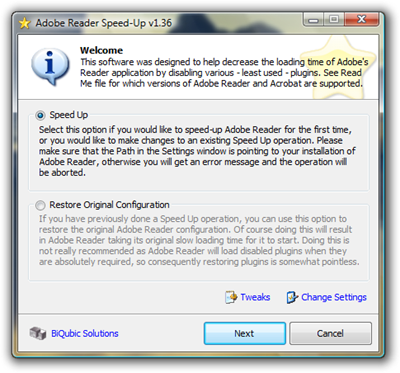
Adobe reader is the most popular freeware to open .PDF files.The problem with Adobe Reader is it takes up lot of memory and slow to open.Adobe Reader Speed-Up significantly decreases the amount of time required for Adobe Reader to start by disabling most of the least used plugins.
SparksSpace3
This software supports the speed-up of the following:
  • Adobe Acrobat 3.0
  • Adobe Acrobat 4.0
  • Adobe Acrobat 4.0.5
  • Adobe Acrobat 5.0
  • Adobe Acrobat 5.1
  • Adobe Acrobat 5.5
  • Adobe Acrobat/Reader 6.0
  • Adobe Acrobat/Reader 6.0.1
  • Adobe Acrobat/Reader 6.0.2
  • Adobe Acrobat/Reader 7.0.0 / 7.0.1 / 7.0.2 / 7.0.3
  • Adobe Acrobat/Reader 7.0.4 / 7.0.5 / 7.0.6 / 7.0.7
  • Adobe Acrobat/Reader 7.0.8
  • Adobe Acrobat/Reader 8.0.0
download Download   Sys Req: VB Runtime
Tagged under:

How to embedded video in a PDF file easily

With the advent of Acrobat 9  you can add video files to your PDF files and make your presentation viewers feel great .You will never need a media player to embed the video file and it can be done very easily.
Follow the steps below to see how you can add a video file to a PDF file :
1) Select the Video tool from the Multimedia pull-down menu

2) Select and drag a rectangle where the video will appear in your PDF file. After you release the mouse, the Insert Video window pops up.

3) Click the Browse button to locate your video. Select the file and choose Open. Move the slider to choose the image that will appear in your PDF file, and choose Set Poster Image from Current Frame, and click OK.

4) The animated movie appears in the box you created with the Video tool.

Done! You have successfully embedded a video file now.